Overview
LinkVortex is an easy HackTheBox Linux machine built around a Ghost CMS blog. A virtual host fuzz reveals a development subdomain with an exposed .git repository, which leaks a password once diffed against the staged changes. That password unlocks the Ghost admin panel, and the known CVE-2023-40028 arbitrary file read vulnerability against Ghost 5.58 recovers a second set of credentials from the application config, leading to SSH access. Privilege escalation abuses a sudo-permitted symlink-cleanup script with a double-symlink trick and an environment variable the script trusts unconditionally.
Attack Chain
- Scan the target and identify
SSHandHTTP, then addlinkvortex.htbto/etc/hosts - Find a
Ghost CMS-powered blog and locate its admin login at/ghost - Confirm the login form leaks whether a submitted email address exists
- Identify
admin@linkvortex.htbas a valid account, but without a working password - Fuzz for virtual hosts and discover a
devsubdomain - Fuzz the
devvhost and find an exposed.gitrepository - Dump the repository with
git-dumperand inspect the local copy - Use
git diff --cachedto reveal a password changed in a test file - Log in to the
Ghostadmin panel with the recovered password - Identify the
Ghostversion (5.58) and its knownCVE-2023-40028arbitrary file read vulnerability - Use the exploit to read
/etc/passwd, then the application’sconfig.production.json - Recover a second set of credentials and use them to
SSHin - Read the user flag
- Find a
sudorule allowing a symlink-cleanup script to run as root - Analyse the script and identify a double-symlink bypass for its safety checks
- Discover the script trusts an externally-set
CHECK_CONTENTenvironment variable - Use the bypass to read root’s SSH private key and log in as root
- Read the root flag
Enumeration
Port Scanning
We start by defining the target and running a full TCP port scan.
export IP=10.129.231.194; export NAME=LINKVORTEX; echo $IP; echo $NAME; ping $IP -c 1

nmap --min-rate 4500 --max-rtt-timeout 1500ms $IP -Pn -p- -v -oA scans/nmap_allports_$NAME
The open TCP ports are:
22,80
We export the discovered ports and run a service and version scan.
ports=$(cat scans/nmap_allports_$NAME.nmap | grep '^[0-9]' | cut -d '/' -f 1 | tr '\n' ',' | sed s/,$//); echo $ports

nmap $IP -p$ports -sC -sV -oA scans/nmap_initial_$NAME -v
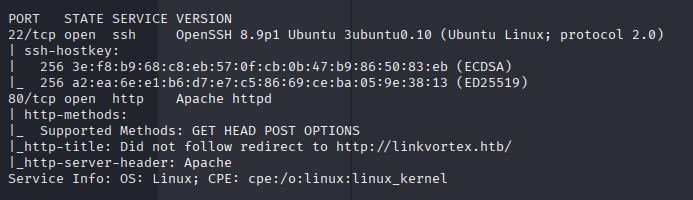
The nmap results indicate we need to add linkvortex.htb to our /etc/hosts file.
Web Enumeration
Ghost CMS Login
We have a home page for BitByBit Hardware, powered by Ghost CMS.

From some web research, we know Ghost CMS’s default install path is /ghost. Visiting http://linkvortex.htb/ghost redirects us to a login page.

The login form needs a full email address and password. Submitting any email reveals whether the user exists.
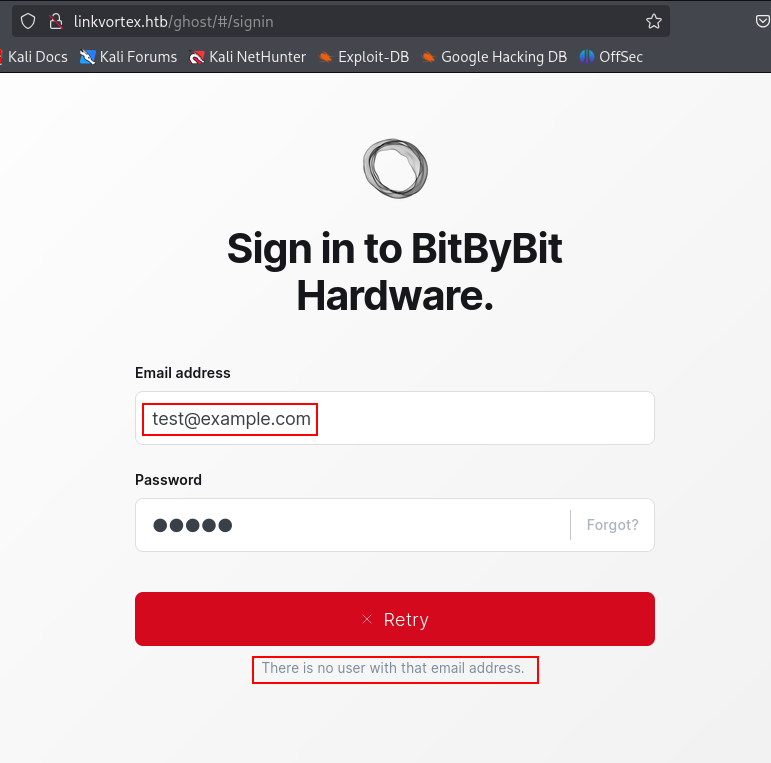
We know from the main blog that there’s an admin author, so we try admin@linkvortex.htb. This time we just get a password incorrect message.

VHost Fuzzing and an Exposed .git Repository
Basic web fuzzing doesn’t turn up anything, so we move on to virtual host fuzzing.
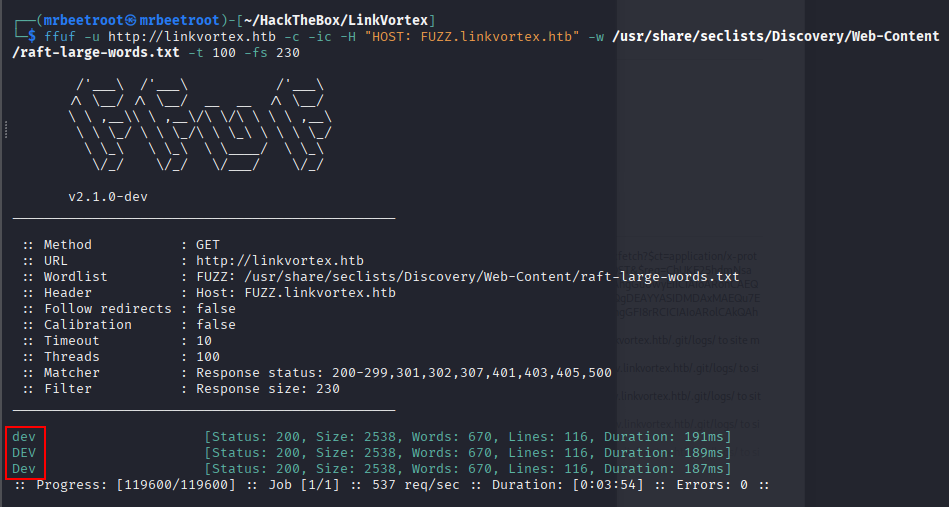
ffuf -u http://linkvortex.htb -c -ic -H "HOST: FUZZ.linkvortex.htb" -w /usr/share/seclists/Discovery/Web-Content/raft-large-words.txt -t 100 -fs 230
We find dev.
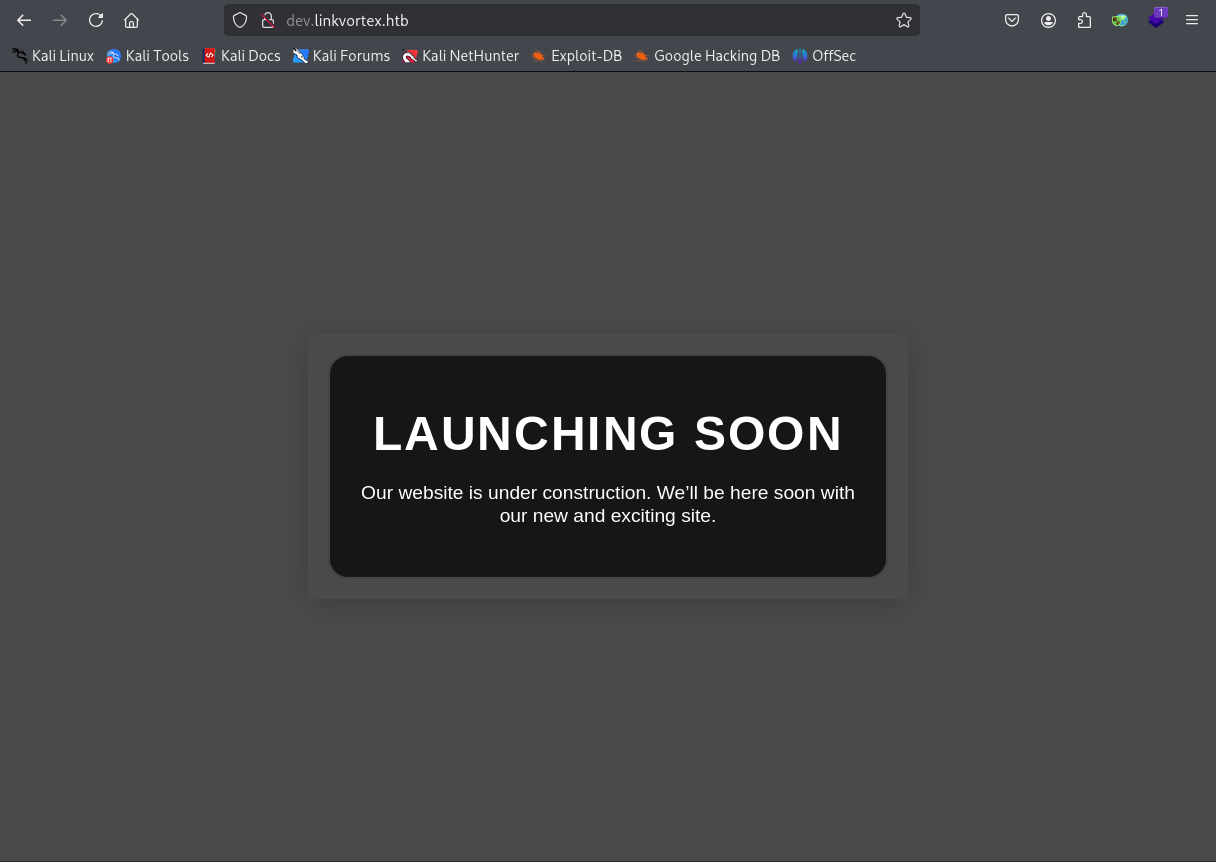
Visiting http://dev.linkvortex.htb shows a basic landing page.
We fuzz the virtual host directly.
dirsearch -u http://$DOMAIN:$PORT -t 100 -o ./scans/dirsearch_${DOMAIN}_${PORT}_default.txt -x 404
We find an exposed .git repository.

Foothold
Dumping the Git Repository
We use git-dumper to download the repository locally.
git-dumper http://dev.linkvortex.htb/.git/ src

We inspect the repository.
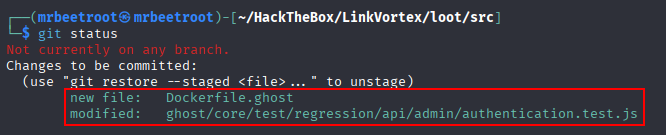
git status
Two potentially interesting files stand out.
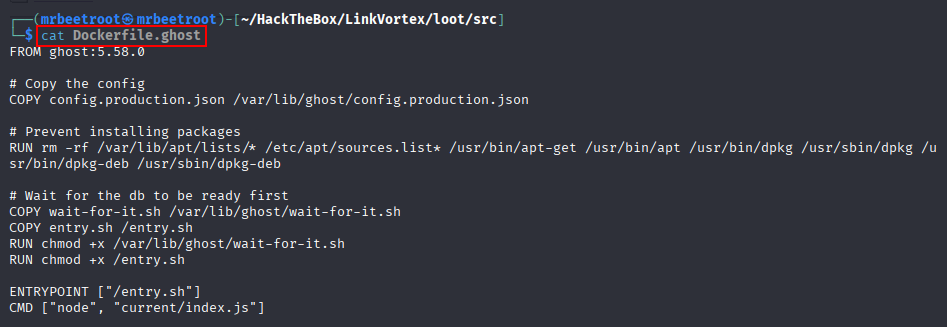
We look at the Dockerfile first; nothing interesting stands out immediately.
The next file is quite large, 551 lines.

We use git diff --cached to view only what changed in the file.
git diff --cached ghost/core/test/regression/api/admin/authentication.test.js
We find a changed password.
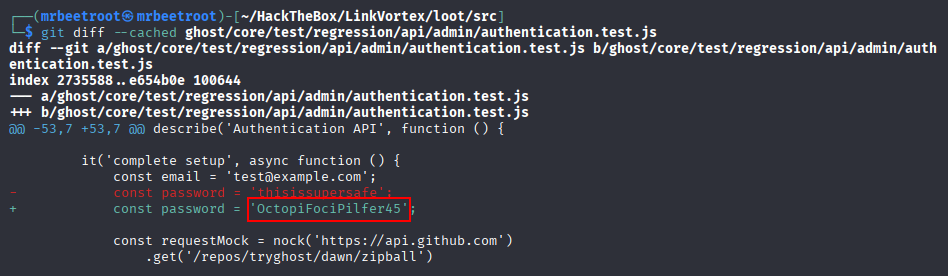
OctopiFociPilfer45
Logging in to Ghost
We try this password against the login at http://linkvortex.htb/ghost with admin@linkvortex.htb, and are able to sign in.

We try some code execution via settings/code-injection, but without success.
Exploiting CVE-2023-40028
We know from earlier enumeration that we’re running Ghost 5.58. Researching this version turns up CVE-2023-40028, an authenticated arbitrary file read vulnerability, along with a public exploit:
https://github.com/0xDTC/Ghost-5.58-Arbitrary-File-Read-CVE-2023-40028
We follow the exploit instructions and are able to read /etc/passwd.

From our earlier git enumeration, we know the web root and a specific file worth checking.
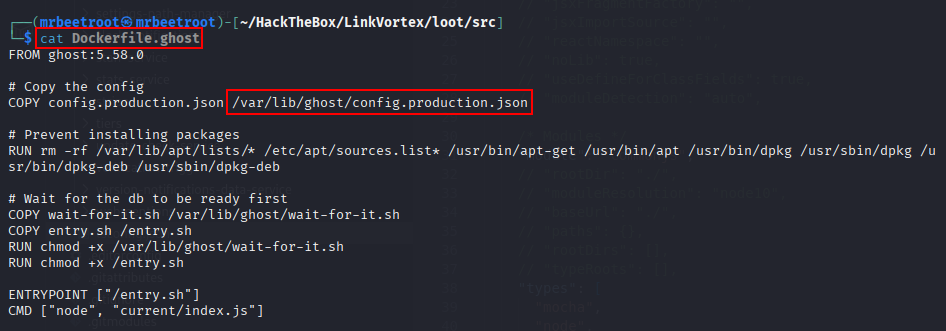
We go back to the exploit and target /var/lib/ghost/config.production.json, and find a username and password.

bob@linkvortex.htb:fibber-talented-worth
We test the credentials with SSH and get in.
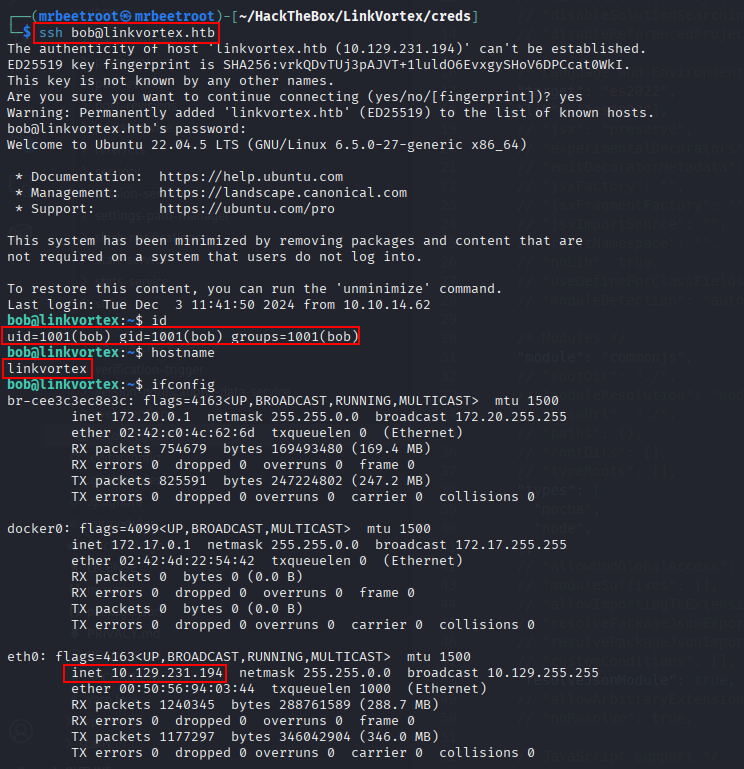
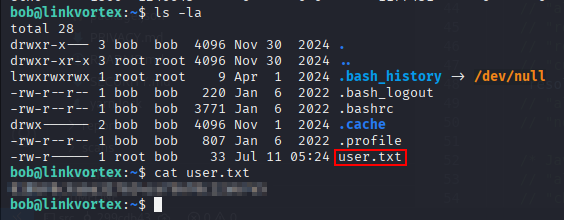
We read the user flag.
Privilege Escalation
Analysing the Sudo Rule
We check our privileges with sudo -l and find we can run /usr/bin/bash /opt/ghost/clean_symlink.sh *.png as root.

We review the script. The explicit use of /usr/bin/test -L (checks for symlinks) and /usr/bin/readlink (only works on symlinks) tells us we’re dealing with symlink handling.
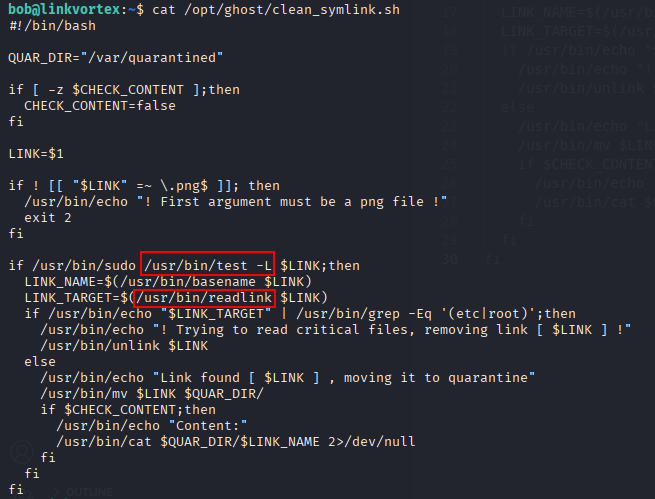
The next line uses grep to check for anything containing root or etc and deletes matches. If a symlink passes that check, the script echoes Link Found and moves it to a quarantine directory.
Double-Symlink Bypass
To get around this, we create a double symlink: the first link points to a second link, and the second link points to whatever file we actually want. When the script checks the first link, it only sees the second link’s path, which doesn’t contain etc or root, so it passes the filter and cats the second link’s target.
Our first link:
ln -sf /home/bob/secondlink firstlink.png
Our second link:
ln -sf /root/.ssh/id_rsa secondlink

Running the command works, but it doesn’t output the contents of root’s id_rsa key.

Bypassing the Content Check
Looking back at the script, there’s another check: the variable CHECK_CONTENT needs to be true before it echoes the file contents.

We recreate our first link, since it was removed by the script’s quarantine step.
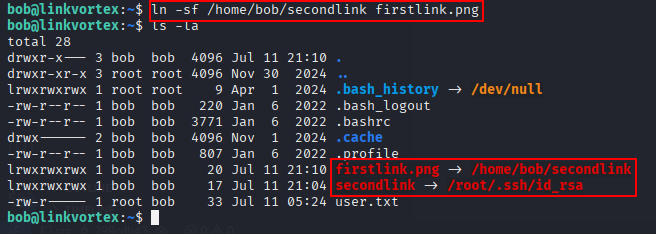
Setting CHECK_CONTENT=true before running the script normally still doesn’t work. What does work is setting the variable directly on the sudo command itself:
CHECK_CONTENT=true sudo /usr/bin/bash /opt/ghost/clean_symlink.sh /home/bob/firstlink.png
Remember to recreate the first symlink first.
This gives us root’s id_rsa key.
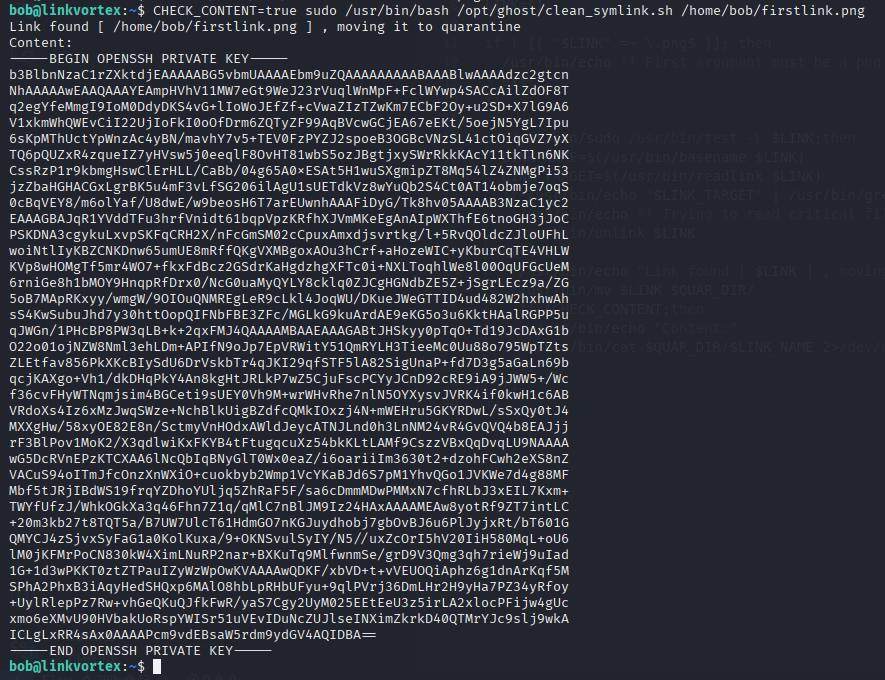
We use nano to copy and paste the key to id_rsa on our attacking machine, nano avoids introducing stray \ newline characters, then set permissions with chmod 600 id_rsa.

We’re now logged in as root.

We read the root flag.

Key Takeaways
LinkVortex chains together small oversights rather than a single dramatic bug: an exposed .git directory on a development subdomain leaked a password through nothing more than a diff of staged changes, and that credential unlocked an application vulnerable to a known, public CVE. The privilege escalation is the more interesting lesson, a script written to safely clean up symlinks assumed a single level of indirection and trusted an environment variable it never explicitly required the caller to set through sudo, both of which combined into a full bypass of its own safety logic.